Before commencing a local upgrade, please make sure all ‘xxxx.bin’ files provided by support have been downloaded and are stored on your device locally. Please note the files provided are specific to your inverter/battery. Uploading these files to other devices may cause system failure due to incompatible software versions.
Step 1 – Connect to the Datalogger SSID
Use a smart phone or PC to Connect to the hotspot of the inverter datalogger. This will be the SSID beginning with EAP-. The password for the logger will be either ‘12345678’ or the logger key which is printed on the logger label.
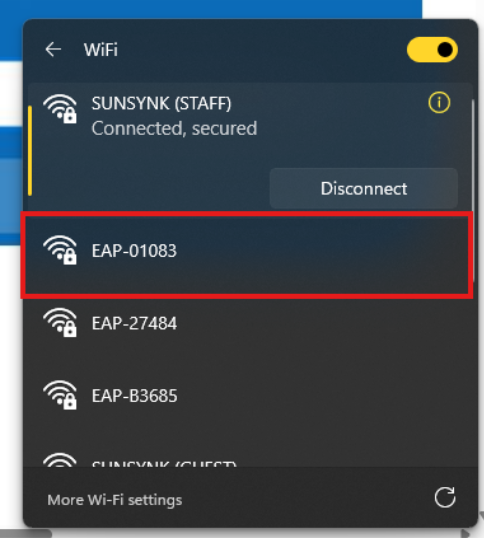
If the SSID does not show, please remove the datalogger from the inverter for 60s and reconnect.
Step 2 – Launch the Browser and Open the Datalogger settings
Open the browser and visit the address 10.10.10.1
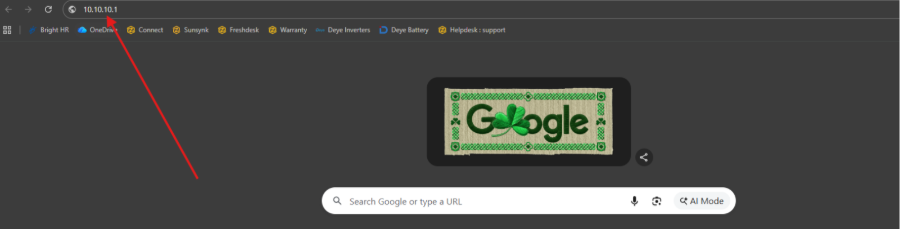
This will launch the datalogger settings menu.
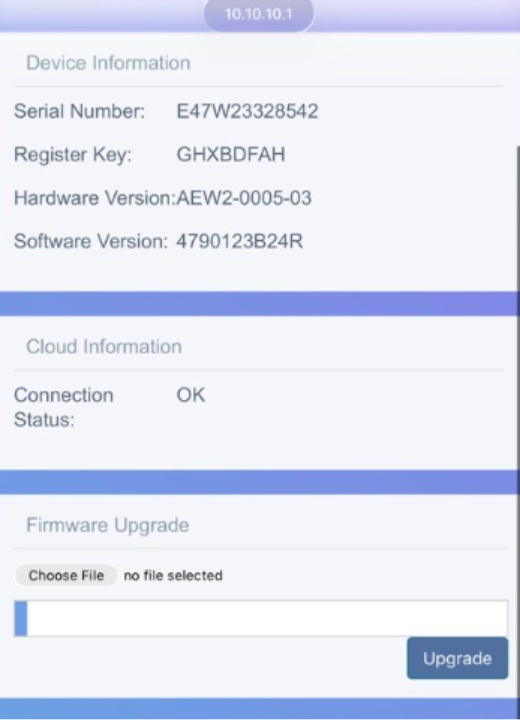
Step 3 – Upload the Firmware File
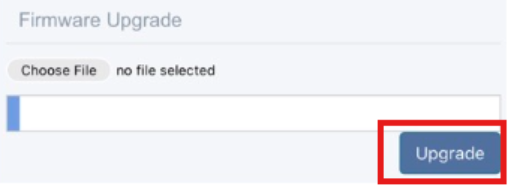
In the ‘Firmware Upgrade' click on ‘Choose File’ and select the inverter firmware package ‘xxxx.bin’.
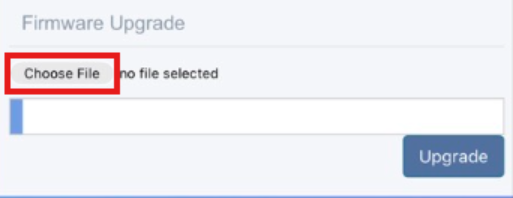
Then Click the Upgrade button to begin the upgrade.
Step 4 – Confirm the Upgrade is Progressing on the Inverter
If the file is upgrading the inverter successfully you will see a count begin in the top left-hand corner of the inverter display. Starting with A000 and increasing.
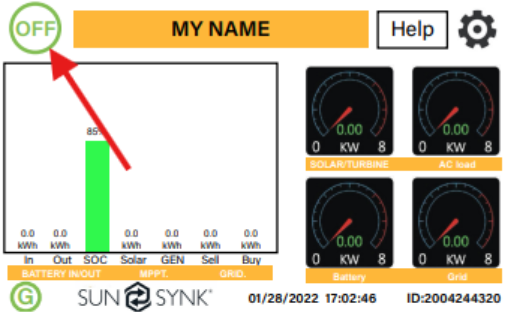
The inverter may restart or the display may refresh whilst this upgrade takes place.
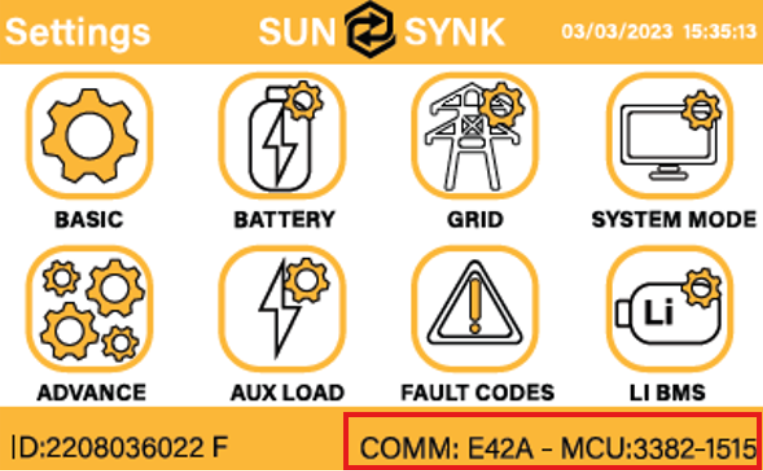
When the count has finished, please verify the upgrade was successful by checking the software version on the settings page matches the file that has been uploaded.
Step 5 – Repeat for Multiple Files (if necessary)
Some updates require more than one file being sent. If this is the case the above steps must be followed for all files which have been provided by the support team, failure to complete all updates may result in incompatible software versions – leading to system failure or inverter damage.
Was this article helpful?
That’s Great!
Thank you for your feedback
Sorry! We couldn't be helpful
Thank you for your feedback
Feedback sent
We appreciate your effort and will try to fix the article