When connecting an external meter to the Acure (and NOT the Sunsynk Wireless CT) please refer to the below.
- Make sure the inverter is updated to the latest software.
- Connect the RS485 output of the meter to the port labelled ‘meter’.
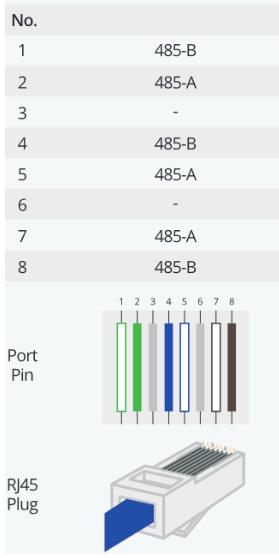
The RJ45 Pin definition:
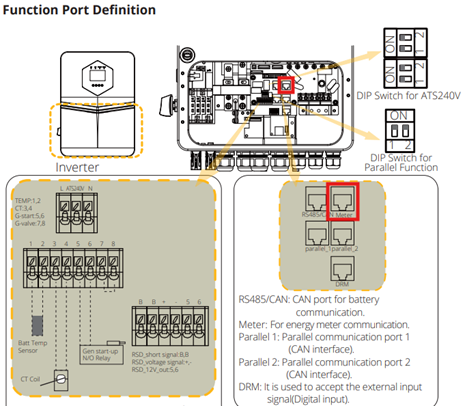
Please note if using a wireless meter such as the OBM meter the wirless receiver MUST be connected to the meter port and not the port labelled LoRa (this port is for the Sunsynk Wireless CT only.)
3. Enable ‘Ex_Meter_for_CT’ in the inverter settings and in ‘Meter Select’ select the matching meter type.
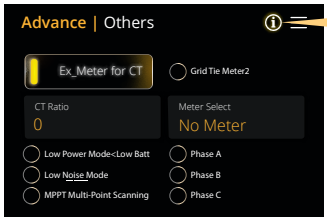
(For example Eastron 1P for the SDM120CT or OBM115 for the Owen Brothers 1P Meter).
Was this article helpful?
That’s Great!
Thank you for your feedback
Sorry! We couldn't be helpful
Thank you for your feedback
Feedback sent
We appreciate your effort and will try to fix the article