Please find the attached guide for getting your data logger online.
If it indicates set success but still does not appear online, please reach out to us at support@sunsynk.com with screenshots of the set success and the subsequent step:
Make sure you are connected to the EAP on your wifi settings
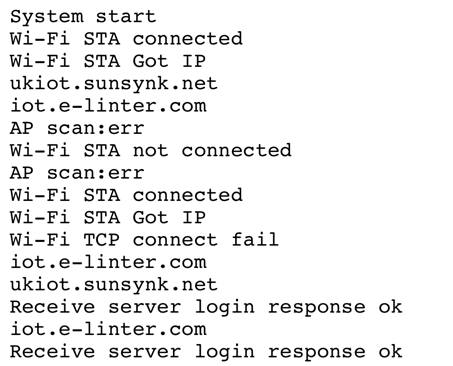
Open an Internet Browser window (Safari / Google Chrome) and Enter 10.10.10.1/loginfo.cgi into web address bar.
This test is to check the connection between the data logger and the Sunsynk Connect Cloud. The outcome should look like the image below:
Was this article helpful?
That’s Great!
Thank you for your feedback
Sorry! We couldn't be helpful
Thank you for your feedback
Feedback sent
We appreciate your effort and will try to fix the article